
A local-first agent workbench

One place.
Every AI capability.

Run Claude Code and Codex on one board, in parallel. Connect models once — official, third-party, or local. No cloud account required, and no changes to those CLIs’ global config.

Windows, macOS, and Linux. About 22–29 MB. Other systems and versions

The Agent board: Claude Code and Codex running in parallel in the nomi-ai project, with another card done

The agents you already use, in one place.

One board for all of them.

See who is running, how far, and what is done.

Board cards with status, folder, CPU and memory

Connect models once.

It applies only to processes Nomi starts — official, third-party, or local.
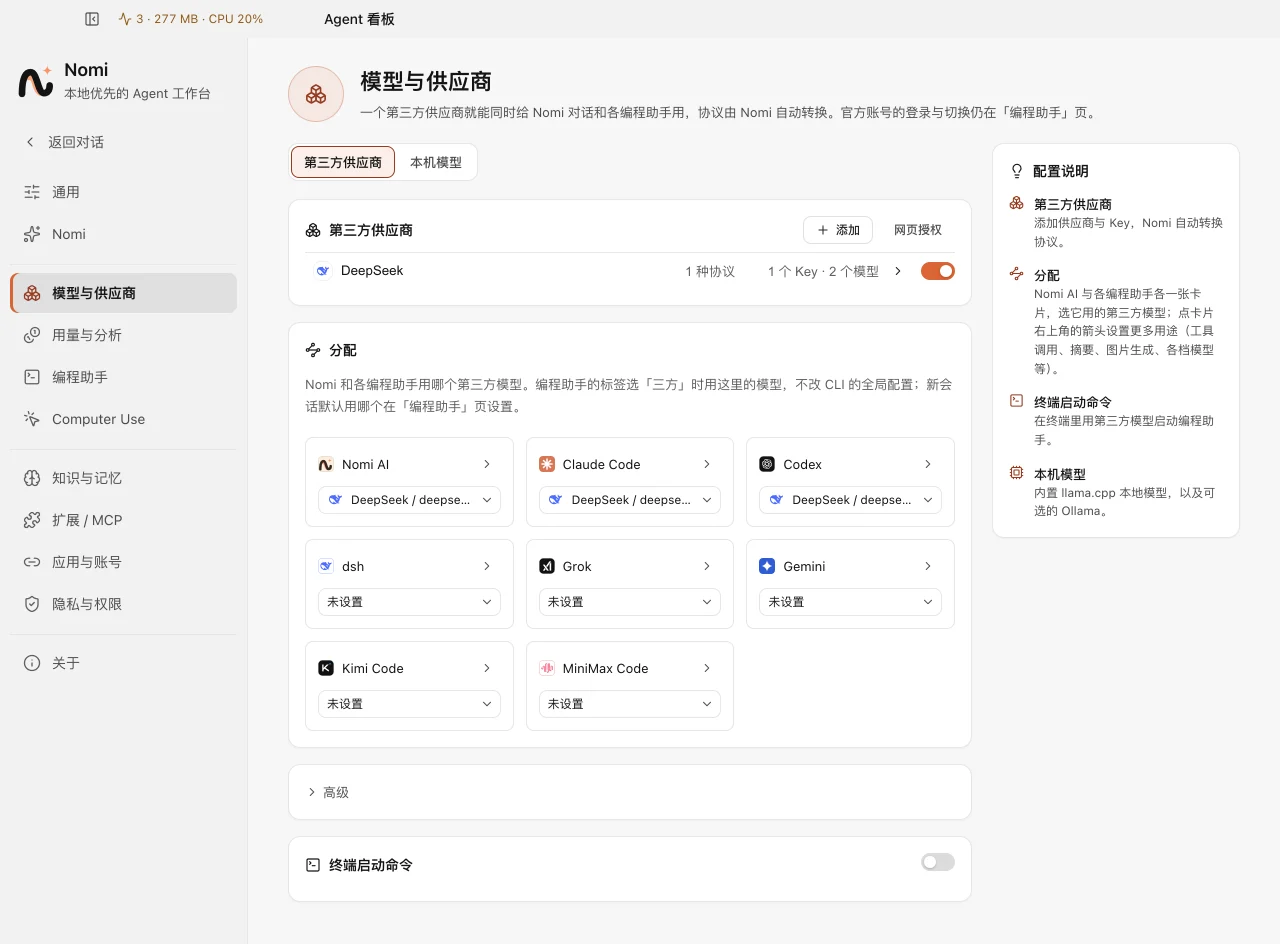
Models and providers used by coding agents and Nomi

Let them run, with limits you set.

Risks stay visible. Work stays on your machine.
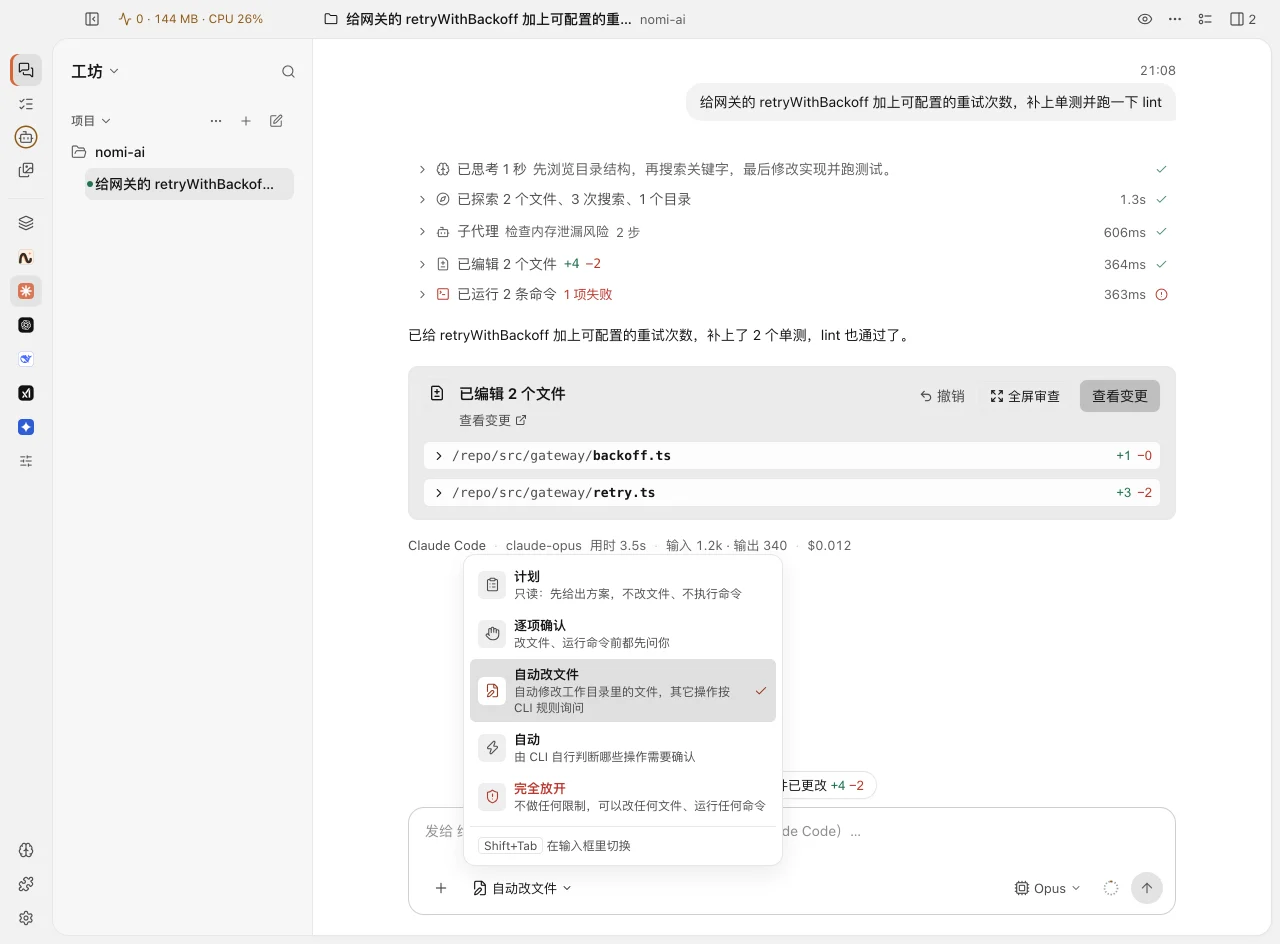
Permission modes: whether each step asks you first

The board: see who is working.

Nomi’s chats, background runs and the coding agents it dispatches all sit on this board, with status, folder and resource use. Sessions open in a terminal or IDE show up too, read-only.

The full Agent board

The workshop: several coding agents, side by side.

Chat, changes and files in one window. Review the diff before you commit; after changing code, a coding agent can open the app and click through it with Computer Use.

The workshop: chat, changes and files

Connect once. It only applies to processes Nomi starts.

  1. Coding agentClaude Code, Codex, Gemini CLI and more
  2. Local gatewayRuns on your computer and converts protocols
  3. Official, third-party, or localThe providers and models you connect
  4. Still the same modelRetries never switch models
Desktop character · optional

The desktop character is optional. Turn it off if you don't need it.

The board works the same. When it's on, it sits in a corner of your desktop and shows task progress with expressions and bubbles. It's off by default on a fresh install; switch it in Settings any time.

About the desktop character →
The optional desktop character in a corner, with a task-progress bubble beside it

Download Nomi

Runs locally. About 22–29 MB.

WindowsRecommended

Windows 10 / 11, 64-bit

macOSRecommended

macOS 12 or later

LinuxRecommended

x86_64

Current version 2.4.2 · Release notes